1
2
3
4
5
6
7
8
9
10
11
12
13
14
15
16
17
18
19
20
21
22
23
24
25
26
27
28
29
30
31
32
33
34
35
36
37
38
39
40
41
42
43
44
45
46
47
48
49
50
51
52
53
54
55
56
57
58
59
60
61
62
63
64
65
66
67
68
69
70
71
72
73
74
75
76
77
78
79
80
81
82
83
84
85
86
87
88
89
90
91
92
93
94
| import theano
from theano import tensor as T
from theano.tensor.nnet import conv2d
import numpy
rng = numpy.random.RandomState(23455)
input = T.tensor4(name='input')
w_shp = (2, 3, 9, 9)
w_bound = numpy.sqrt(3 * 9 * 9)
W = theano.shared( numpy.asarray(
rng.uniform(
low=-1.0 / w_bound,
high=1.0 / w_bound,
size=w_shp),
dtype=input.dtype), name ='W')
'''
用uniform初始化
不知为何定义shape为(2, 3, 9, 9)
'''
b_shp = (2,)
b = theano.shared(numpy.asarray(
rng.uniform(low=-.5, high=.5, size=b_shp),
dtype=input.dtype), name ='b')
conv_out = conv2d(input, W)
output = T.nnet.sigmoid(conv_out + b.dimshuffle('x', 0, 'x', 'x'))
f = theano.function([input], output)
import numpy
import pylab
from PIL import Image
'''
这里要加'rb',不然报Unicode错,字符不能以utf-8编码,16,32都不行
'''
img = Image.open(open('doc/images/3wolfmoon.jpg', 'rb'))
img = numpy.asarray(img, dtype='float64') / 256.
'''
这里img.shape = (639, 516, 3)
img.transpose(2, 0, 1).shape = (3, 639, 516)
img_.shape = (1, 3, 639, 516)
reshape将数组变成
0:1
0:3
0:639
0:516
这个样子
初步估计,首先3是图像的RGB,后面的是尺寸。为方便处理,转换成3在前面。
然后由于input定义为4D的所以要做这个处理。对input的4D分别是:
> mini-batch size, number of input feature maps, image height, image width
'''
img_ = img.transpose(2, 0, 1).reshape(1, 3, 639, 516)
filtered_img = f(img_)
'''
filtered_img.shape(1, 2, 631,508)
不理解为何处理后变为2
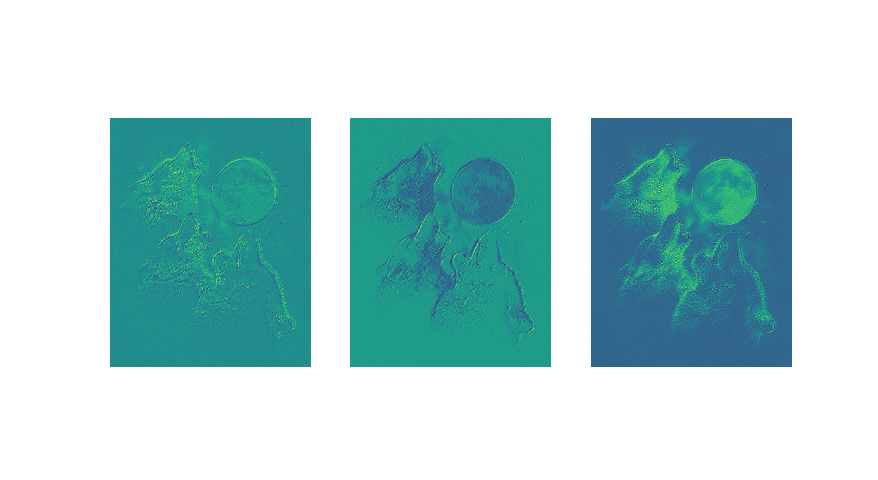
更新:是由W,b的shape决定的,当改为3,输出也是3
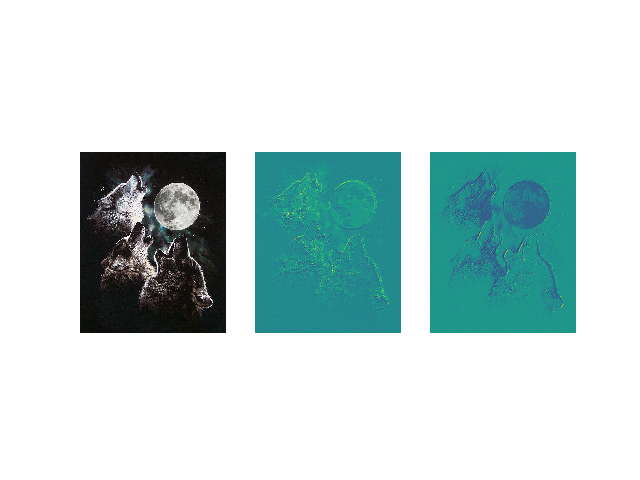
改为3后如图三所示
'''
pylab.subplot(1, 3, 1); pylab.axis('off'); pylab.imshow(img)
'''
这句的作用是将处理后的结果以灰图显示,若不加如图二
'''
pylab.gray();
pylab.subplot(1, 3, 2); pylab.axis('off'); pylab.imshow(filtered_img[0, 0, :, :])
pylab.subplot(1, 3, 3); pylab.axis('off'); pylab.imshow(filtered_img[0, 1, :, :])
pylab.show()
|